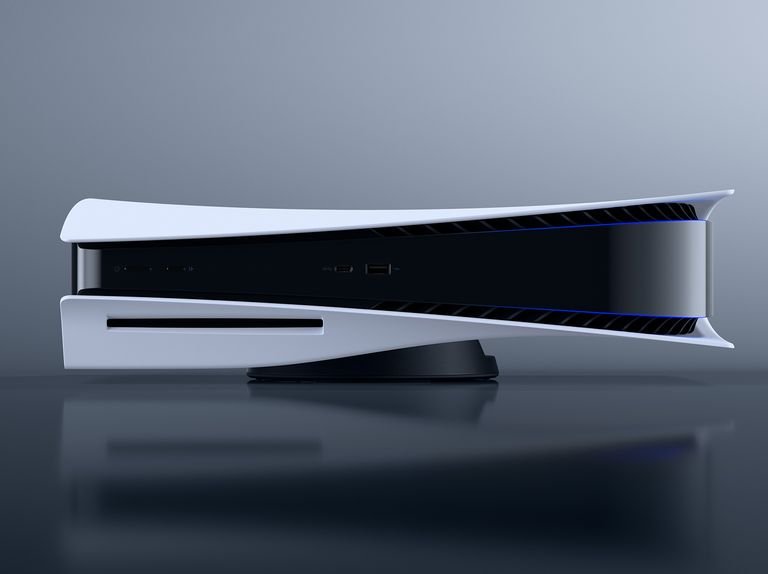
Hello! Are you interested in finding out how to download and install a game on your PS5? This step-by-step guide is just what you need! We’ll start by explaining how to connect your console to the Internet, then guide you through the process of accessing the PlayStation Store and searching for the game you want. We’ll show you how to start the download and how to monitor the installation progress. Finally, we will explain how to start the newly installed game. We hope you find this guide helpful to start enjoying your PS5 to the fullest!
The best sellers for PS5

1. Step 1: Log in to your PS5 account
First, log in to your PS5 account using your user ID and password. Open the main menu of your PS5 and select the settings icon in the lower right corner. Next, go to “Users and Accounts” and choose “Account Login.” Enter your user ID and password and press the “Sign In” button to access your PS5 account.
2. Step 2: Go to PlayStation Store
Once logged in, go to PlayStation Store by selecting the corresponding icon in the main menu.
- Log in to your PlayStation account.
- On your device’s home screen, locate the icon with the PlayStation Store symbol.
- Select the icon with your controller or click on it with your mouse.
- You will be redirected to the PlayStation Store, where you can explore a wide range of games, additional content, movies, and more.
3. Step 3: Search for the game you wish to download
Use the search bar located at the top of the site to find the game you wish to download. You can enter the name of the game directly into the search bar and press enter to see matching results. For example, if you want to download the game “FIFA 22,” type “FIFA 22” into the search bar and press enter. Alternatively, you can browse the various available game categories and search for the desired game within a specific category.
4. Step 4: Select the game
When you have found the desired game, select it to access its page. Click on the game title and you will be redirected to the game’s main page.
5. Step 5: Select ‘Add to Cart
Choose the game you wish to purchase and, once on its page, click ‘Add to Cart’. This will allow you to start the purchase process and add the game to your cart.
6. Step 6: Confirm your purchase
Follow these instructions to confirm your game purchase:
- Click on the “Confirm Purchase” button on the screen.
- Enter the required details, such as your address and payment information.
- Check all purchase details carefully before proceeding.
- Click on the “Confirm” button to complete your purchase and enjoy your new game!
7. Step 7: Wait for download
After confirming your purchase, the game will automatically start in the download process on your PS5. Now all that remains is to wait for the download to complete. It may take some time depending on the size of the game and the speed of your connection. During this time, please make sure your PS5 is powered and connected to a stable connection.
8. Step 8: Install the game
Once the download is complete, the game will be available in the ‘Your Games’ section of the main menu. To install it on your PS5, follow these simple instructions:
- Go to the main menu of your PS5.
- Select the ‘Your Games’ section.
- Find the new downloaded game and select it.
- Follow the on-screen instructions to begin the installation.
- Once the installation is complete, you’ll be ready to play!
Remember that it may take a while to complete the installation, so try to be patient. Have fun!
9. Step 9: Start playing!
Start playing! Once the game is installed, launch the main menu and select the game you wish to play. Click “Play” to start having fun immediately!
All set, have fun playing!!
Finally, I’ll remind you of the main points you need to follow to download and install a game on your PS5:
- Turn on your PS5 and make sure you are connected to the Internet.
- Log in to the PlayStation Store and search for the game you wish to download.
- Select the game and press the “Add to Cart” button to purchase or download it for free.
- Follow the instructions for payment, if necessary, and confirm your purchase.
- Once the download is complete, go to your game library and search for the title you just downloaded.
- Select the game and press the “Install” button to start the installation process.
- Patiently wait for the game to install on your console.
- Once the installation is complete, you can start the game and begin playing!
Useful tips
- Make sure you have a stable and fast Internet connection
- Turn on your PS5 and log into your PlayStation account
- Go to the PlayStation Store on the main screen
- Use the search bar to find the game you wish to download
- Choose the desired game and press the “Download” or “Download” button
- Wait for the game download to complete
- Once the download is complete, return to the main screen and select “Library
- In the list of downloaded games, locate the game you just downloaded and select it
- At this point, you will need to follow the instructions for installing the game
- Make sure you have enough space on your hard disk to install the game
- During the installation, you may have to wait a few minutes
- Once the installation is complete, the game should be ready to be played
How to use PS5 video games
- Start by opening the PS5 package and placing it in a suitable place near the TV
- Connect to the Internet and set up your network connection on the PS5 console
- Turn on your TV and PS5 console and follow the setup wizard
- Create a PlayStation Network account or sign in with an existing account to start playing online and access multiplayer features
- Browse through the PS5 menu UI to discover the various games available and select the one you prefer
- Connect the included DualSense controller to the PS5 console via USB-C cable or via wireless connection
- Follow the on-screen instructions to start the game and begin playing, taking your time to learn the game-specific controls and functions
- Watch PS5 console notifications and updates to stay up-to-date on new games, patches, or available updates
- Enjoy, explore and experiment with the various games to learn and improve your skills in the world of video games!
Frequently asked questions about PS5 video games
Are there any virtual reality games available for the PS5?
Hello! Yes, there are virtual reality games available for the PS5. Right now, you can play titles like “Resident Evil Village” and “No Man’s Sky” using the PlayStation VR viewer. Just remember to also have the PS4 camera and the adapter to connect it to the PS5. Have fun!
Does PS5 support backward compatibility with games from older PlayStation consoles?
Hello! Yes, the PS5 supports backwards compatibility with games from older PlayStation consoles. You can play a wide selection of PS4 titles on the PS5 without any problems. However, keep in mind that not all games from the old consoles may be compatible with the PS5, but most of the popular titles will be available. I hope this answer was helpful to you!
What are the PS5 exclusive titles not found on other consoles?
Hello! PS5 exclusive titles not found on other consoles are several and are a real highlight of this console. Here are some of them: “Demon’s Souls,” a charming remake of the famous role-playing game; “Ratchet & Clank: Rift Apart,” an action-packed platforming adventure; “Spider-Man: Miles Morales,” an action game in which you play as Miles Morales; “Returnal,” a gripping survival and action game; and “Sackboy: A Big Adventure,” a cute platformer in which you control Sackboy. These are just a few of the titles that make the PS5 unique, and I guarantee that many amazing gaming experiences await you!
What are the main features of PS5’s DualSense controller?
Hello! The PS5’s DualSense controller has some very interesting features. First, it has an ergonomic design that fits comfortably in your hand, providing a stable grip during your gaming sessions. One of the main new features is haptic feedback technology, which allows you to feel realistic tactile sensations during gameplay, such as the feel of an arrow being shot or the movement of a vehicle on a bumpy surface. The controller also has new adaptive triggers, which allow for greater precision in the gaming experience by adapting to different situations. In addition, there is a microphone built into the controller, allowing you to communicate with friends in multiplayer mode without the need for a headset. Finally, let’s not forget the touchpad, which offers new possibilities for interaction with games. I hope you found this information useful!
Are there exclusive games coming to the PS5 in the near future?
Hello! Yes, there will be exclusive games coming to the PS5 in the near future. Sony has announced several highly anticipated titles such as “Horizon Forbidden West,” “Ratchet & Clank: Rift Apart” and “Gran Turismo 7.” These games will be available only for the PS5 and promise to offer a great gaming experience. So, yes, there is a lot of exciting news coming for the PS5!
Is there a difference between the resolution of PS5 games and PS4 versions?
Hello! Absolutely, there is a difference in the resolution of games between PS5 and PS4 versions. The PS5 is designed to support a maximum resolution of 4K, thus providing a more detailed and realistic gaming experience. Some PS5 games can even reach 8K resolution when connected to a compatible TV. On the other hand, PS4 versions usually support a maximum resolution of 1080p, without the ability to reach the performance offered by PS5. So, if you have the ability to play games on a PS5, you will be able to enjoy the games with higher visual quality. I hope this information was helpful to you!
What are the best multiplayer games for the PS5?
Hello! If you’re looking for the best multiplayer games for the PS5, I recommend some popular titles. First, “Call of Duty: Black Ops Cold War” offers both a multiplayer mode and a cooperative mode. Then there is “FIFA 21” if you like soccer and want to challenge your friends. “Fortnite” is a free game that allows you to play online with players from all over the world. If you prefer a more tactical experience, “Rainbow Six Siege” might be perfect for you. Finally, “Overwatch” is a fun online shooter that tests skill and cooperation. I hope you find this list useful! Have fun playing on your PS5!
What game modes are supported by PS5 (e.g., single player, online multiplayer, co-op)?
The PS5 supports several game modes, including single player, online multiplayer, and co-op mode. In single player, you play alone and face the challenges of the game alone. In online multiplayer, you can play with other players via the Internet and participate in competitions or collaborate together. Co-op mode allows you to play with a friend or multiple players in the same room, working together to overcome obstacles in the game.